The Influence of UX on UI:
Guide to User-centered Design

Few people mistakenly believe that good UI alone means good UX. No, that’s not true! While UI focuses on the Visual aspects such as colours, layouts and Typography, UX ensures that these elements serve a purpose by designing the interface as intuitive and user-friendly.

In this blog, we'll discuss how user experience (UX) influences UI design and why a user-centred approach is vital for producing interfaces that are not only aesthetically appealing but also functional and accessible through UX design principles

uiux blog 2

1. Visual Hierarchy

Hierarchy is an important principle in designing a helpful user experience. Visual hierarchy organises design elements to focus on key information. This makes interfaces easy to use and navigate. It’s all about making things clear and straightforward for users.

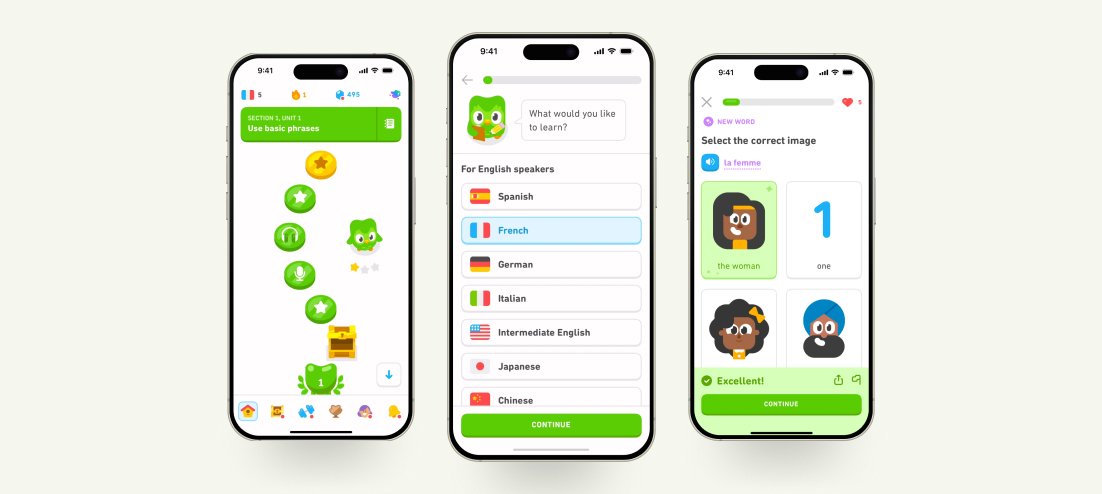
Example: Duolingo’s Onboarding

Duolingo keeps it simple by asking one question at a time, reducing cognitive load and maintaining user flows. Its UI effectively uses elements like the Law of Proximity to present clear queries and guide the user’s eye smoothly.

UIUX Army

2. User Control

User control allows users to navigate, interact, and make decisions freely within a digital product. It enhances usability by giving users a sense of ownership over their actions.

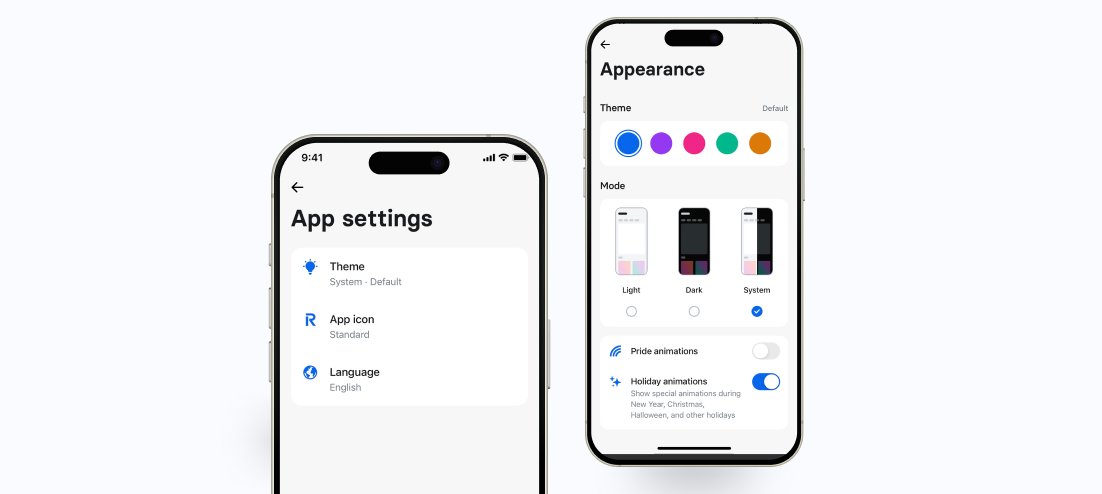
Example: Revolt Customise Appearance

Revolut makes money management effortless with a customisable app, allowing users to tailor it to their financial needs

UIUX Army

3. Accessible

Accessibility ensures that digital products can be used by everyone, including individuals with impairments. It focuses on creating interfaces that are inclusive,simple and easy to navigate.

Example: Amazon Kindle

Amazon’s Kindle offers accessibility with VoiceOver, customisable reading settings, and a reading ruler for users with visual disability- making it a great example of UX design.

UIUX Army

4. Consistency

Consistency ensures an easy and predictable user experience by maintaining similar design patterns, interactions and visual elements across an app. It enhances usability and reduces the learning curve.

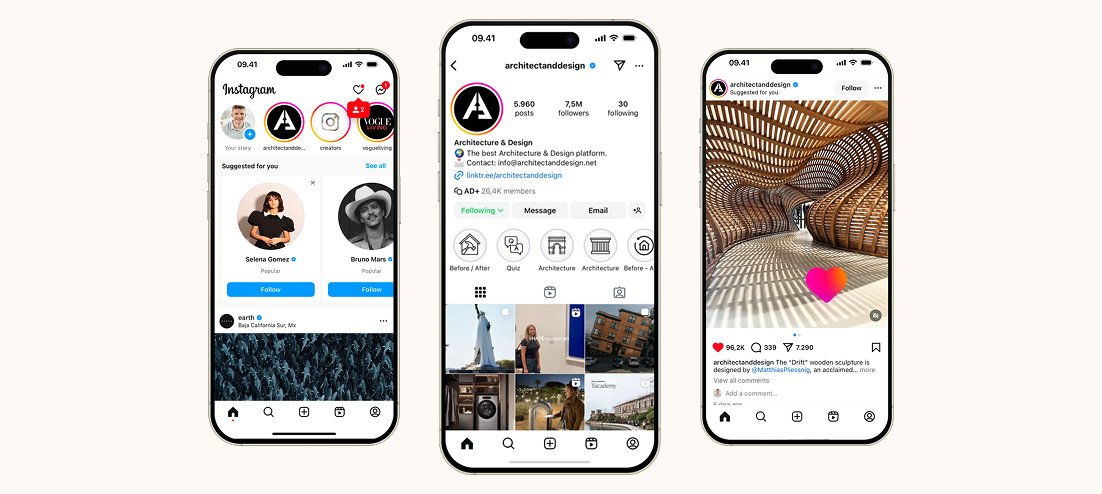
Example: Instagram

Instagram keep things consistent through a similar bottom navigation bar across screens, standardised icons and colours for like, share and comment buttons, and predictable interactions like swiping for stories, double-tap for likes, and tap-to-play videos.

UIUX Army

5. Context

Context refers to circumstances in which users interact with the product, including their goals, environment, and device. Designing with context keeps it a more intuitive and relevant user experience.

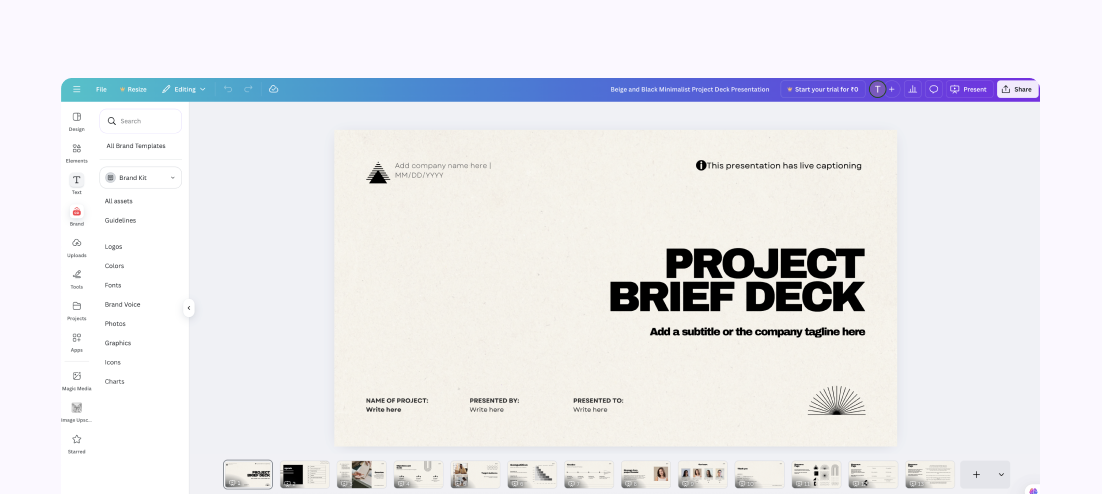
Example: Canvas contextual guidance

Contextual guidance offers users crucial information at the right time while interacting with a product. Canva ensures this through tooltips, highlighting features and guiding users on what to do at specific moments.

UIUX Army

6. Usability

Usability defines how easy and efficient a product is to use. A well-designed interface ensures smooth navigation, clear interactions and minimal effort for users.

Example: Google Search

Users can find relevant information easily Google search page thanks to its user-friendly interface and quick response time, clear search recommendations.

UIUX Army

Conclusion

Designers can create aesthetically appealing and functional interfaces by focusing on User-experience principles and using a user-centered approach. Digital experiences that are usable, accessible, and interactive are the result of a well-balanced UX and UI.

Ready to Transform Your Digital Product?

Partner with The Elite Unit to create high-performance digital experiences that drive measurable business results. Let's discuss your next strategic initiative.

UIUX Army
Start a Strategic Conversation

UX Rescue Squad 🔥

Your conversions under attack?

The UI/UX Army is on standby. Get a free UX rescue report — we’ll pinpoint the problem zones and send reinforcements.


UIUX Army